
See who each job is for and filter by role type
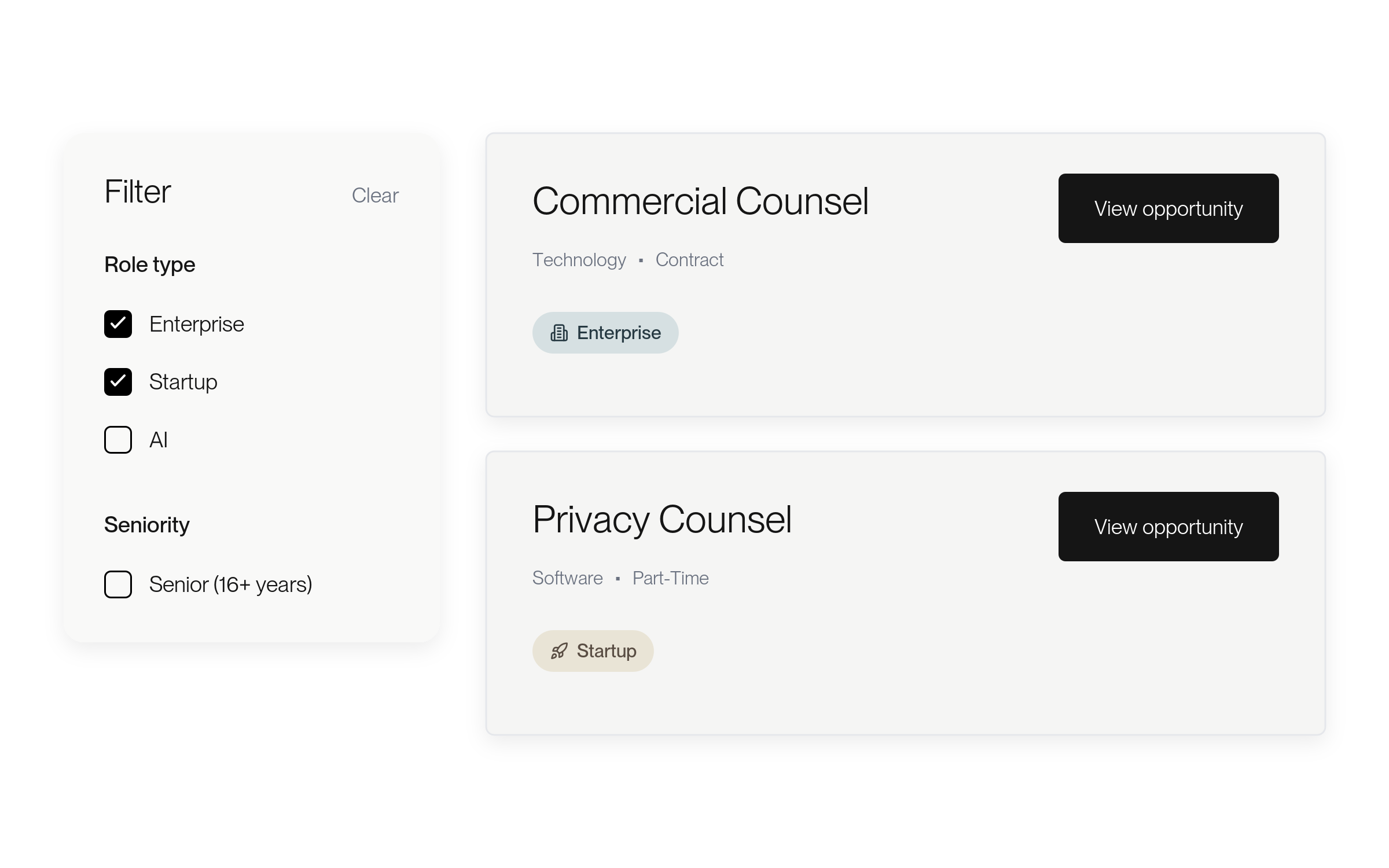
Jobs now show whether they’re for an enterprise client or a startup, and a Role type filter narrows the list.
Improvements
Know the kind of client at a glance
Jobs on the job board now carry a label for who they’re for, such as Enterprise or Startup. Use the Role type filter to show only the kinds of roles you want. On a phone, Role type sits above the list.
Post a role with Agent when you have no open position
If you choose Hire or Request interview on a lawyer’s profile without an open position, the dialog now points you to Lawtrades Agent to post one.

More about this change
From a profile to a position
When you choose Hire, or Request interview from the menu beside it, on a lawyer’s profile and you have more than one open role, Lawtrades asks which one it’s for. If you don’t have an open position yet, a dialog now links to Post a role with Lawtrades Agent instead of asking you to describe the work in a text box. Post the role, then come back to the profile to continue.
Hiring needs an open hourly role. If you have none, the dialog says so.
Fixes
Email links bring you back after Google or LinkedIn sign-in
If you sign in with Google or LinkedIn after opening an engagement link from an email, you now land on the page the link pointed to.
More about this change
Pick up where the email pointed
Opening an engagement link from an email while signed out, then signing in with Google or LinkedIn, could leave you somewhere else in Lawtrades. You now return to the page the link pointed to. No setup is needed.
Offer emails open the exact offer
The link in an offer email now opens that offer with its current terms, and signing starts only when you select Review and sign.
More about this change
Land on the offer you were sent
Links in offer emails used to open your offers list, where the offer might not be on the first page or could show older pay details. The link now opens that offer directly with its current terms.
Nothing is sent for signature until you select Review and sign. If the offer has closed or expired, it shows no signing action. No setup is needed.
Your new headshot saves during profile setup
A headshot you add on Review your profile now stays with your new profile.
More about this change
Your photo stays put
During profile setup, a headshot added on Review your profile could be lost. Create profile now waits for the photo to finish uploading. If the upload fails, you see a message asking you to try again. No setup is needed.
Invite teammates from a new company, including + addresses
People who create a new company at signup can now invite teammates, and invite forms accept addresses that include a +.
More about this change
Invitations go through
Some people who created their company while signing up didn’t get the admin role needed to invite teammates, so their invitations failed. Whoever creates a new company at signup now becomes its admin. Invite forms also accept addresses such as name+team@company.com. No setup is needed.
If your account was set up before this change and you still can’t invite teammates, contact support.
Teammates can open their company’s draft and private positions
Teammates no longer get an error when they open a draft or private position that belongs to their company.
More about this change
Your team’s positions open for you
Many teammates saw an error when they opened a draft or private position owned by their company. Teammates with active access to the company can now open them. People outside the company still can’t. No setup is needed.